ML Generator View
Overview
ML Generator View is the project-level workspace for inspecting persisted ML generator results from executed training runs, comparing versions, and promoting a validated default version for downstream generation flows.
Open it from the top navigation via ML-Gen.
Only models with completed/persisted training appear with versions and statistics in this view.
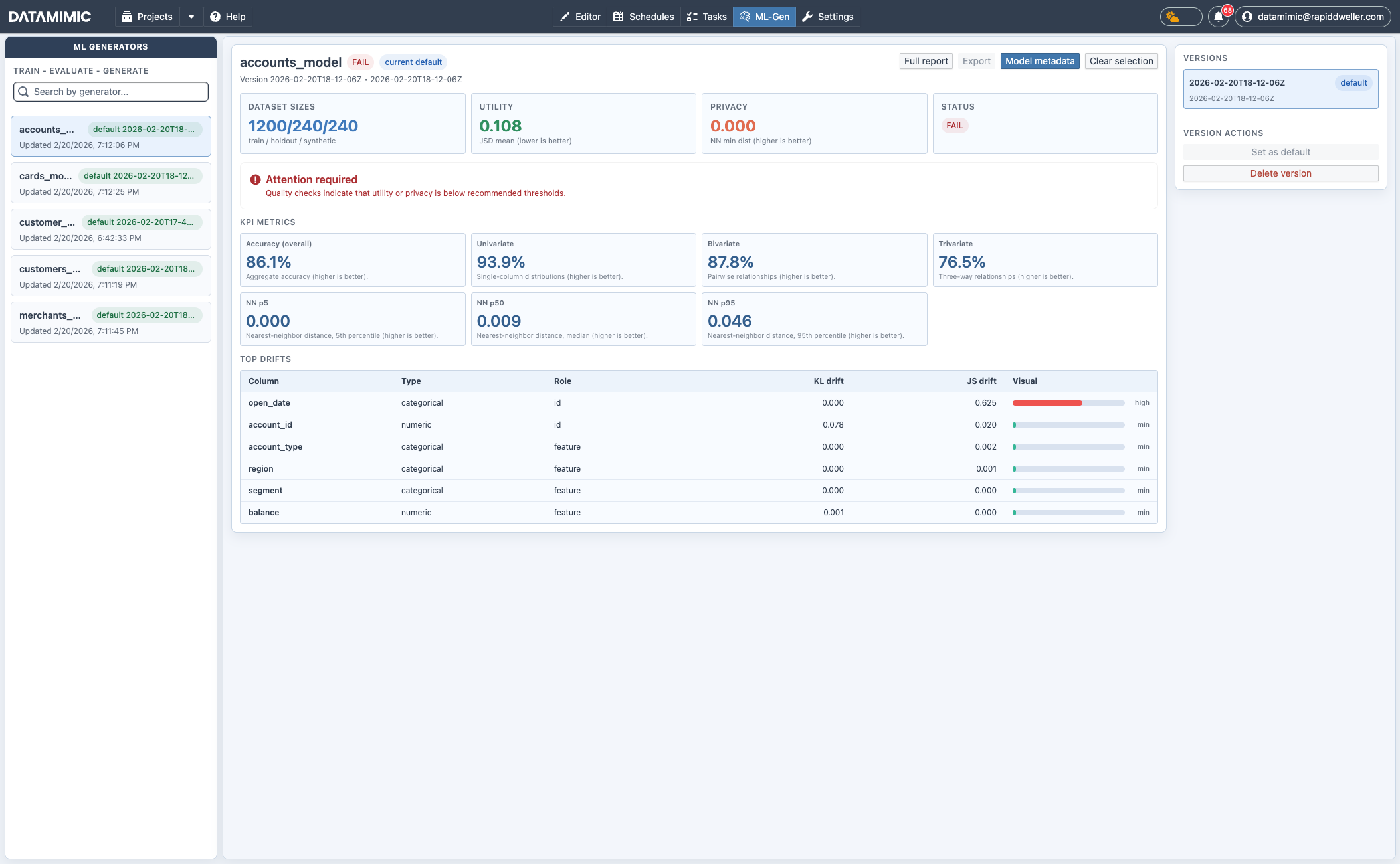
Main Areas
Left Pane: Generator List
- Search generators by name.
- Select a generator to load its details.
- See current default version and update timestamp.
Center Pane: Detail and Quality
- Headline cards:
- dataset sizes (train/holdout/synthetic),
- utility score,
- privacy score,
- overall status.
- KPI metrics (accuracy, univariate/bivariate/trivariate signals, NN distances).
- Top drift table with column-wise KL/JS drift indicators.
Right Pane: Versions and Actions
- Choose a specific version.
- Set selected version as default.
- Delete selected version.
Top Actions
- Full report: open detailed QA report view.
- Export: export QA report artifact if available.
- Model metadata: open model metadata for selected version.
- Clear selection: reset current detail selection.
Relationship to Database View and DSL
Typical flow:
- Create ML training model artifacts from Database View → Create ML.
- Execute the generated DSL model so
<ml-train>runs and persists model versions. - Validate outcome in ML Generator View.
- Reuse approved model version in DSL
sourcewithml://....
Note
Training can be long-running. Runtime sizing should match workload (rows/features), and some setups may require higher-end resources, including GPU-enabled workers.
Example:
1 | |
For full flow guidance, see ML Generator from Database Metadata.