ML Generator from Database Metadata
This guide shows the end-to-end flow for creating ML training DSL artifacts from database metadata, executing training, reviewing persisted versions in ML Generator View, and reusing them in DATAMIMIC DSL.
Prerequisites
- Configure a database environment in Environments.
- In the environment row, open More actions (⋯), select Refresh metadata snapshot, and confirm the Scan Database Metadata dialog.
- Open Database View and ensure your tables/columns are available.
1. Build an ML training artifact in Database View
- In Database workbench → Planning, select your scope.
- Run Plan subset (preset-based closure + relationship validation).
- Verify preflight state.
- In Generate artifacts, click Configure model, then select ML training model in the wizard that opens.
- Set naming options and create the model artifact.
- Execute the generated DSL model (with
<ml-train>nodes) to start training and persist model versions.
For planning and scope details, see Auto-Generate Model from Database.
Note
Training duration depends on table size, feature complexity, and selected runtime. Larger training workloads can require more CPU/RAM and, depending on environment setup, GPU resources (for example NVIDIA cards).
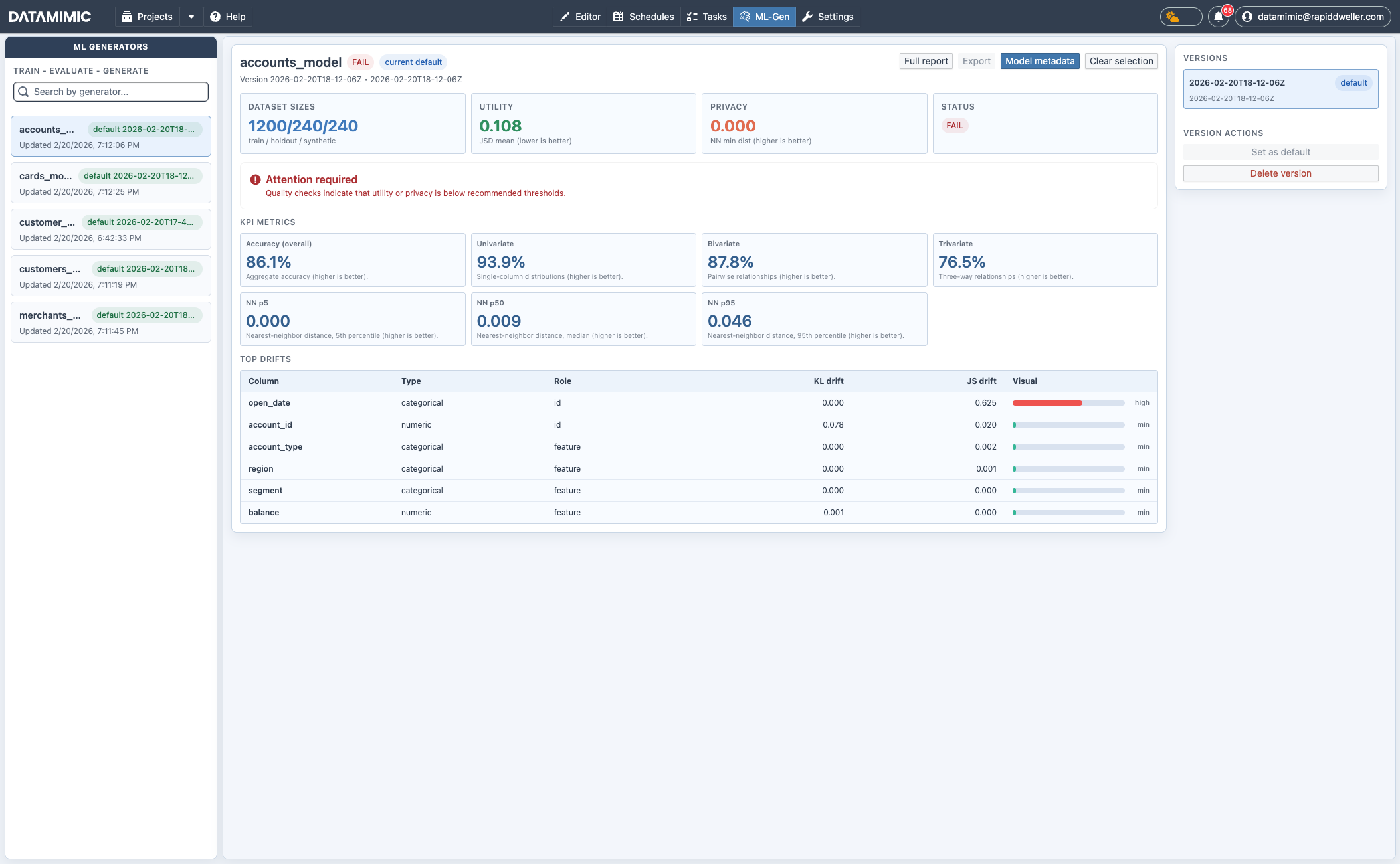
2. Inspect trained model quality and versions in ML Generator View
Open ML-Gen from the top navigation.
Only models with completed/persisted training runs are listed with versions and statistics in this view.
You can:
- search and select generators in the left pane,
- switch versions in the version list,
- set default version,
- delete outdated versions,
- inspect status, utility/privacy KPIs, and top drift indicators,
- Download report for the HTML quality-assurance report.
3. Reuse ML generators in DATAMIMIC DSL
After training and approving a model version, follow the EE-owned ml-train reference for the verified DSL syntax. The Platform contributes the approved model identifier through the project workflow.
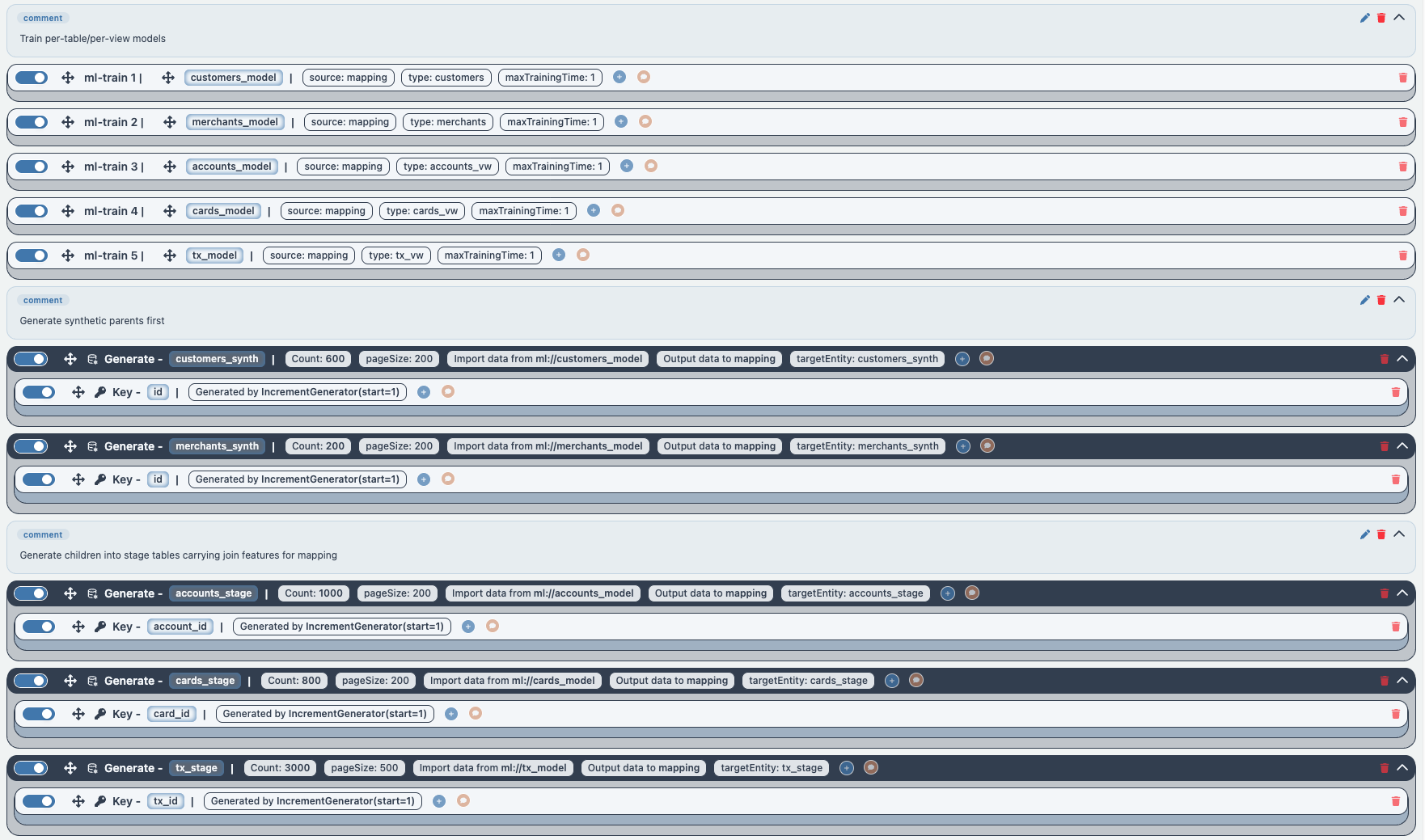
ml:// sourcesOperational Notes
- Use stable subset planning inputs for reproducible training behavior.
- Keep one validated default version per generator for downstream DSL use.
- Retrain when schema drift or data distribution changes materially.
- Review utility/privacy status before promoting a version to default.
- Treat generated recommendations and models as baseline output that still requires project-specific tuning.