Schedules (Recurring Schedule Management)
The Schedules section in DATAMIMIC allows you to manage recurring data generation tasks using CRON settings. This feature provides an overview of all created schedules, allowing you to monitor, pause, or delete them as needed.
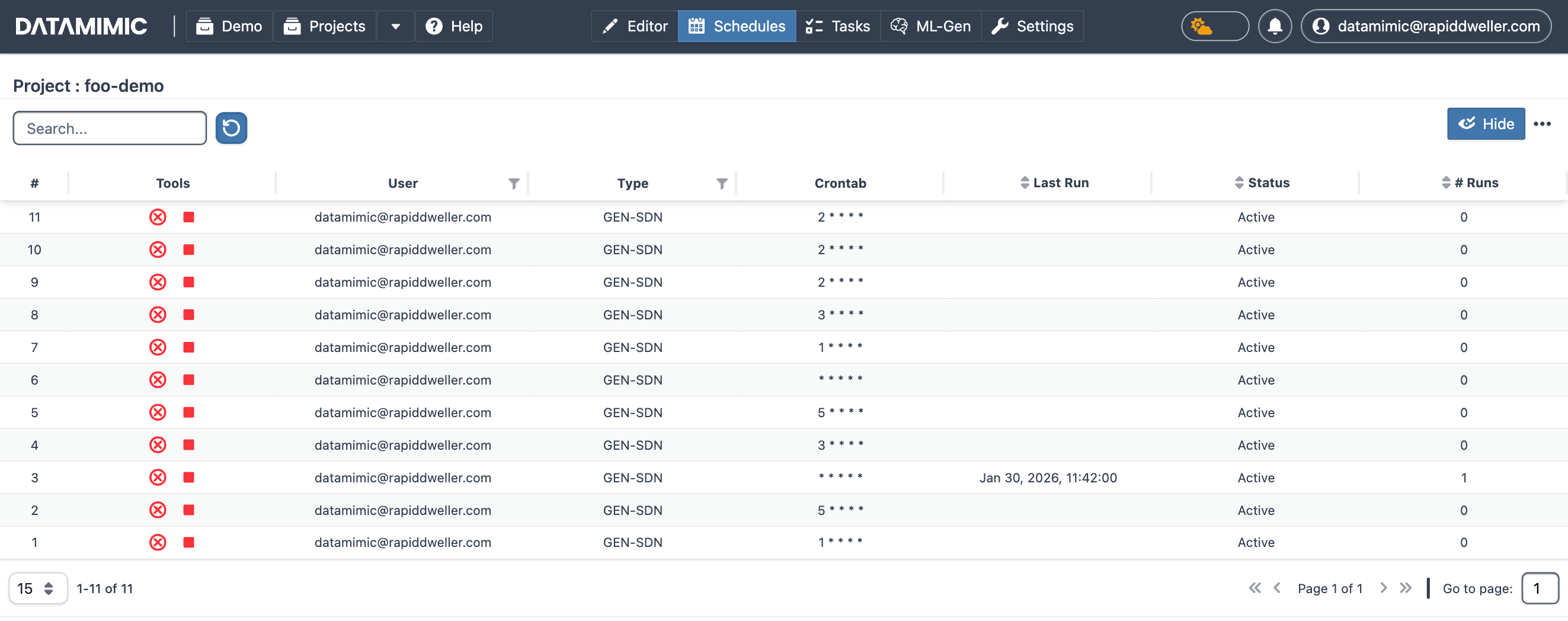
Schedule Details
Each row in the Schedules table represents a scheduled entry, displaying the following details:
- #: Schedule number.
- User: The user who created the schedule.
- Crontab: The CRON expression defining the schedule.
- Last Run: The last execution time of the schedule.
- Status: The current status of the schedule (Active/Paused).
- # Runs: The number of times the schedule has run.
Schedule Actions
For each schedule, you can perform the following actions:
- Pause: Temporarily suspend the schedule.
- Delete: Remove the schedule permanently.
Creating Schedules with CRON
To create a recurring schedule, use the Advanced Generation Settings described in the Generation - Advanced Settings documentation. The CRON tab allows you to specify the cadence for the schedule.