Previews
Warning
The current page still doesn't have a translation for this language.
But you can help translating it: Contributing.
The task previews section in DATAMIMIC provides a quick view of the data being generated. This section offers three different output formats to accommodate various data types:
- a table view for CSV, SQL-based outputs,
- a JSON viewer for JSON data, and
- an XML viewer for XML data.
Features
Table View

The table view is used for displaying CSV or SQL-based outputs. This format presents the data in a tabular structure, allowing for easy inspection of rows and columns.
JSON Viewer
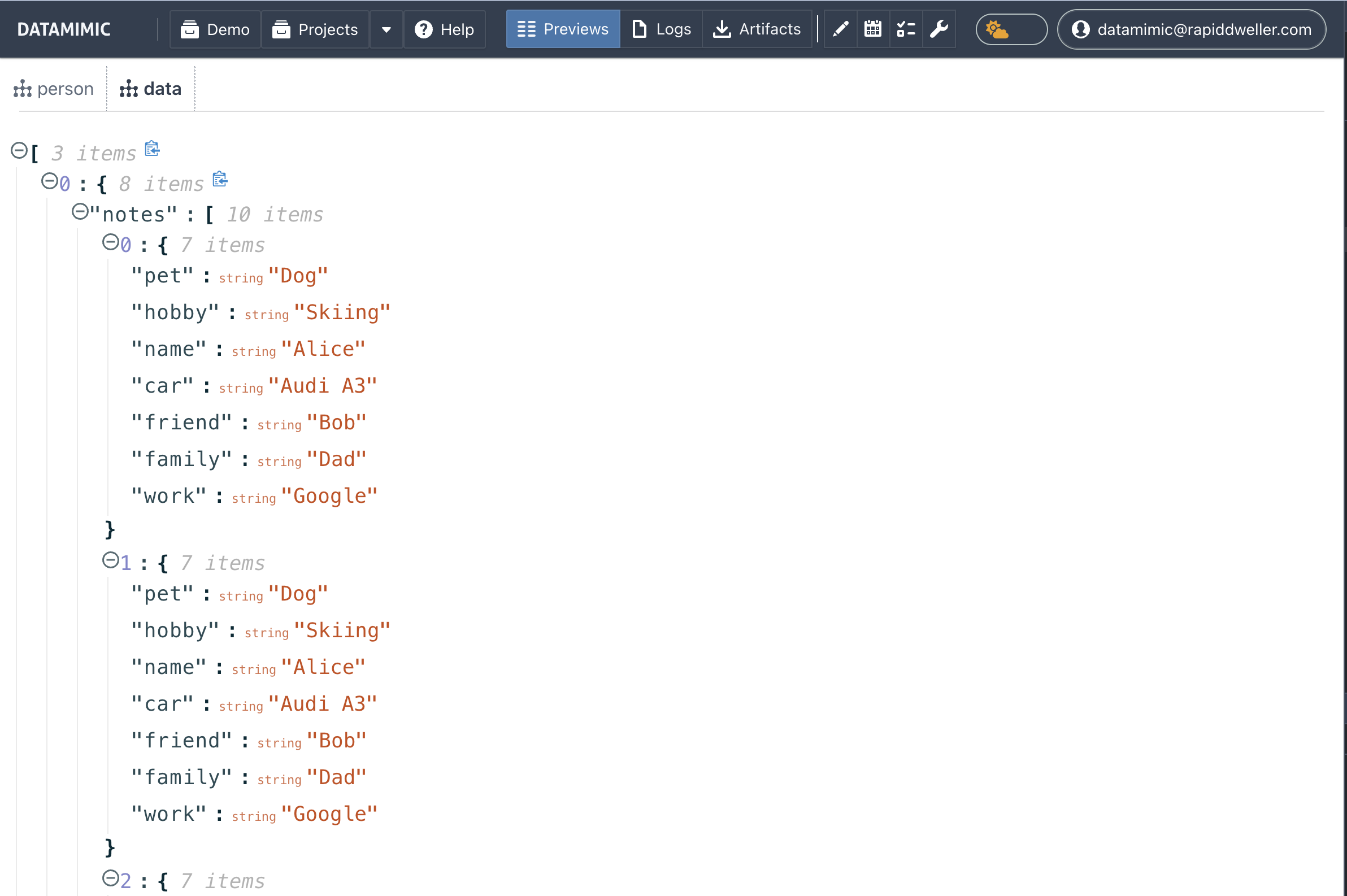
The JSON viewer is specifically designed for previewing JSON data. This format structures the data in a hierarchical, tree-like view, making it simple to explore nested data.
XML Viewer
The XML viewer is specifically designed for previewing XML data, structuring the document for easy inspection.
Automatic Previews
Previews are automatically created for any data generation task. They show a small subset of the records being created, which helps in verifying the correctness and structure of the data without needing to inspect the entire dataset.
Note
Previews might miss some records because they display only the first few items of each entity. Download a complete generated artifact when you need to inspect the full output; the EE-owned Targets and exporters page defines model output options.
For further details, refer to the API documentation on how to download the full datasets.