Tasks (Execution Management)
The Tasks section lists all data generation and processing tasks. From here you can monitor status, access logs, preview results, and download artifacts for each task.
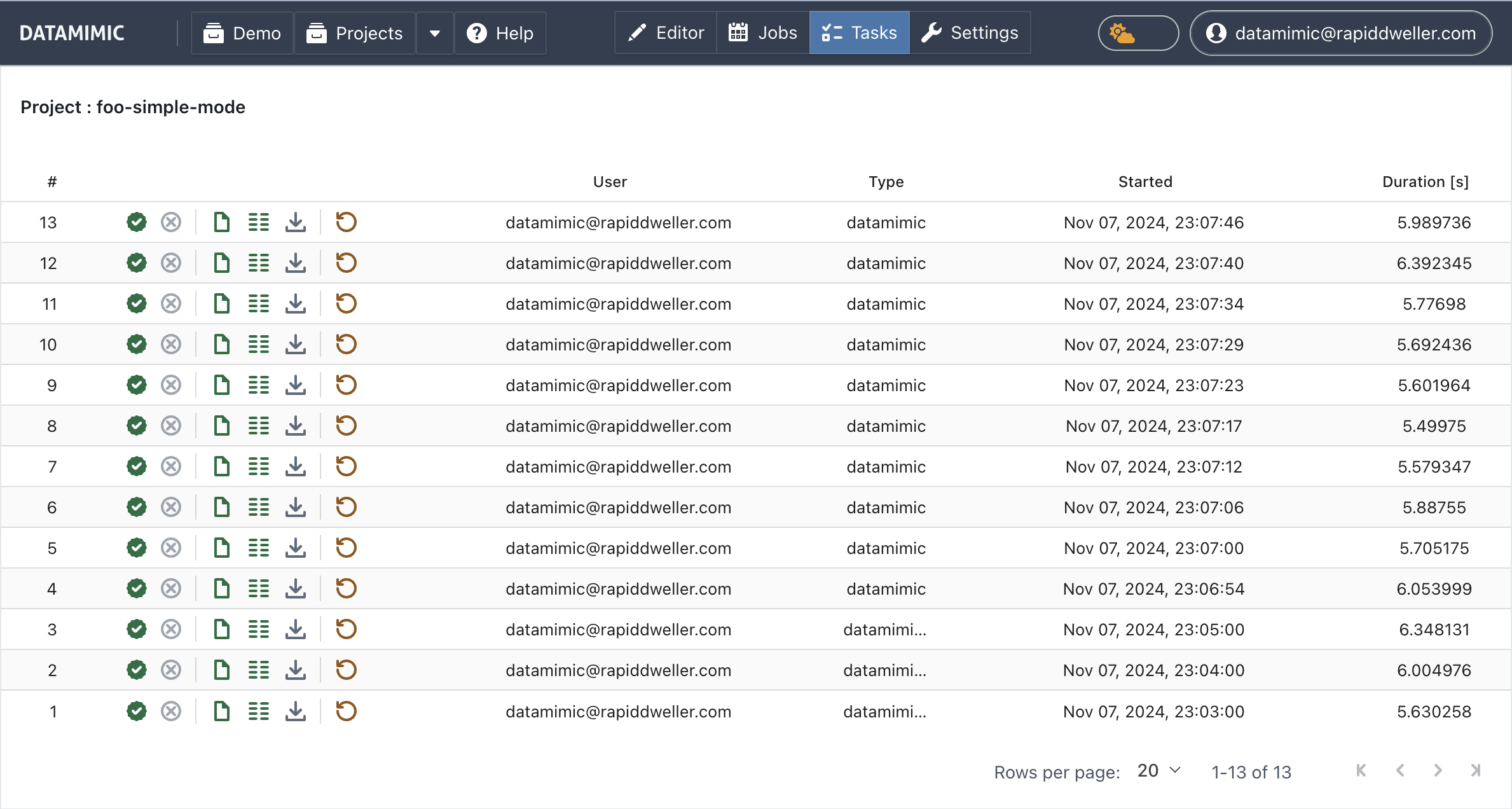
Task Details
Each row in the Tasks table represents an execution task, displaying the following details:
- #: Task number.
- Tools: Quick actions for the task (status, log, preview, artifacts, and more — see Control Icons below).
- User: The user who initiated the task.
- Type: The type of task executed.
- Creation Date: When the task was created.
- Duration [s]: The duration of the task in seconds.
The task view shows all executions, including those triggered by a normal click on "Generate," tasks from the Advanced Settings dialog ("Generate - Advanced Settings"), and tasks scheduled and executed from CRON schedules.
For Git-connected projects, Task View can also push the selected task state to a task-specific Git branch. See Git Connected Functionality.
Control Icons
The icons in the columns from left to right provide the following controls and information:
- Copy Task ID: Copies the task's ID to the clipboard.
- Status Information (e.g. SUCCESS, WORKER_FAILURE, DISPATCH_FAILURE, FINALIZATION_FAILURE): Indicates the current status of the task.
- Preserve: Toggles whether the task's artifacts are protected from cleanup.
- Cancel: Allows you to cancel a running task.
- Task Log: Provides access to the detailed log of the task.
- Task Preview: Offers a preview of the generated data.
- Task Artifact(s): Allows downloading of any artifacts generated by the task.
- Rerun: Re-executes the task's generate operation.
- Download Project by Task: Downloads the project as it stood for this task.
- Push-to-Git: For Git-connected projects, pushes this task's state to a task-specific Git branch.
By managing tasks effectively, you can ensure that your data generation processes run smoothly and that you have access to all necessary logs and artifacts for review and auditing purposes.