Project Settings Dashboard
The Project Settings Dashboard provides a central place to configure your project in DATAMIMIC. The dashboard is organized into tabs, each available in a left sidebar. The main area displays the content related to the selected tab. This setup allows for efficient management of various project settings and resources.
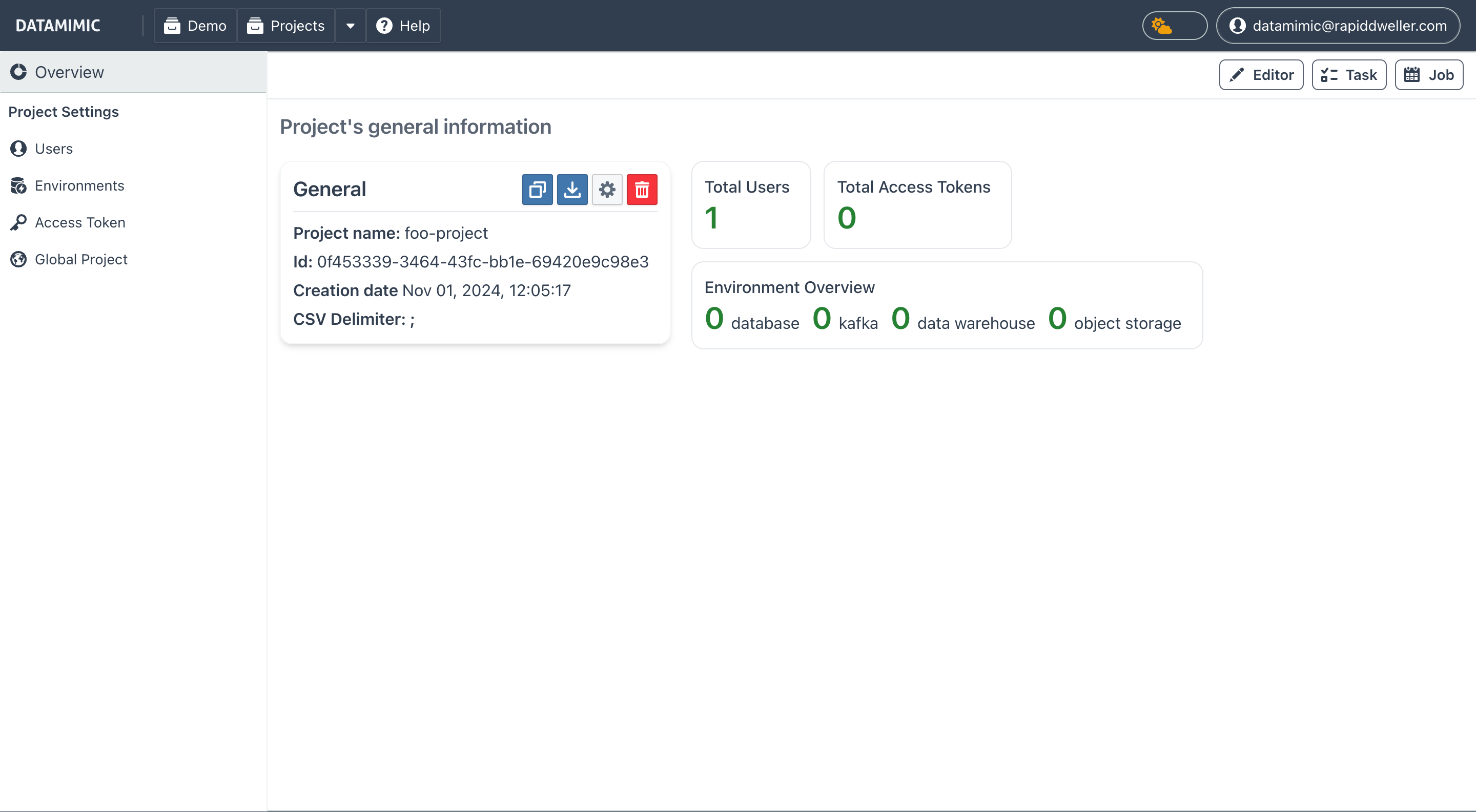
Tabs Overview
The dashboard includes six main tabs:
- Overview
- Users
- Environments
- Access Token
- Global Project
- Runtime Config
Overview Tab
The Overview tab contains two main sections: General Actions and Statistics.
It also contains a standalone Language Server panel with the project LSP toggle. See Language Server Setting and Editor: Language Server.
-
General Actions
-
Save as Template: Create a reusable template from this project, allowing others to derive projects from your setup.
- Download Project: Export the project as a
.tar.gzarchive. This can be used to move the project to other DATAMIMIC instances or keep a local backup. - Log Level: Configure the logging level for project tasks.
-
Delete Project: Permanently remove the project from the system.
-
Statistics
- Provides an overview of key project metrics:
- Total Users: The number of users with access to the project.
- Total Access Tokens: The total access tokens created for project-based API access.
- Environment Overview: A donut chart of configured environments by type:
- Database
- Mongo
- Kafka
- RabbitMQ
- Object Storage
Users Tab
The Users tab is for managing user access to the project. Here, you can:
- Add Users: Grant new users access to the project.
- Delete Users: Remove users from the project as needed.
Access Token Tab
The Access Token tab is where you manage tokens for API authentication within DATAMIMIC. Each token has:
- A project association
- A defined scope (permissions)
- An expiration date
These tokens ensure secure, project-specific access for automated processes and integrations.
Environments Tab
In the Environments tab, configure and manage various environments for the project. You can:
- Add New Environments: Define new environments to support your project.
- Edit Existing Environments: Update settings for existing environments.
- Delete Environments: Remove environments when they're no longer needed.
Global Project Tab
The Global Project tab in DATAMIMIC provides access to a project with shared resources and common functions. This includes:
- Transformation Logic: Reusable Python functions for transforming data.
- Custom Generators and Converters: Commonly used utilities for data processing.
- Entity and Weighting Files: Templates for data structures and weight assignments.
- System Environments: Predefined settings that can be inherited by other projects.
When you add the global project as a dependency, all its files are available as read-only in your local project, enabling you to access these resources and integrate them into your workflows. The files also become part of your project's autocompletion model.
This Project Settings Dashboard is designed to streamline project setup and management, providing quick access to essential configurations and shared resources.
Subpages
For detailed information on specific project configurations, refer to the following subpages: