Schedules (Recurring Schedule Management)
The Schedules section in DATAMIMIC allows you to manage recurring data generation tasks using CRON settings. This feature provides an overview of all created schedules, allowing you to monitor, pause, or delete them as needed.
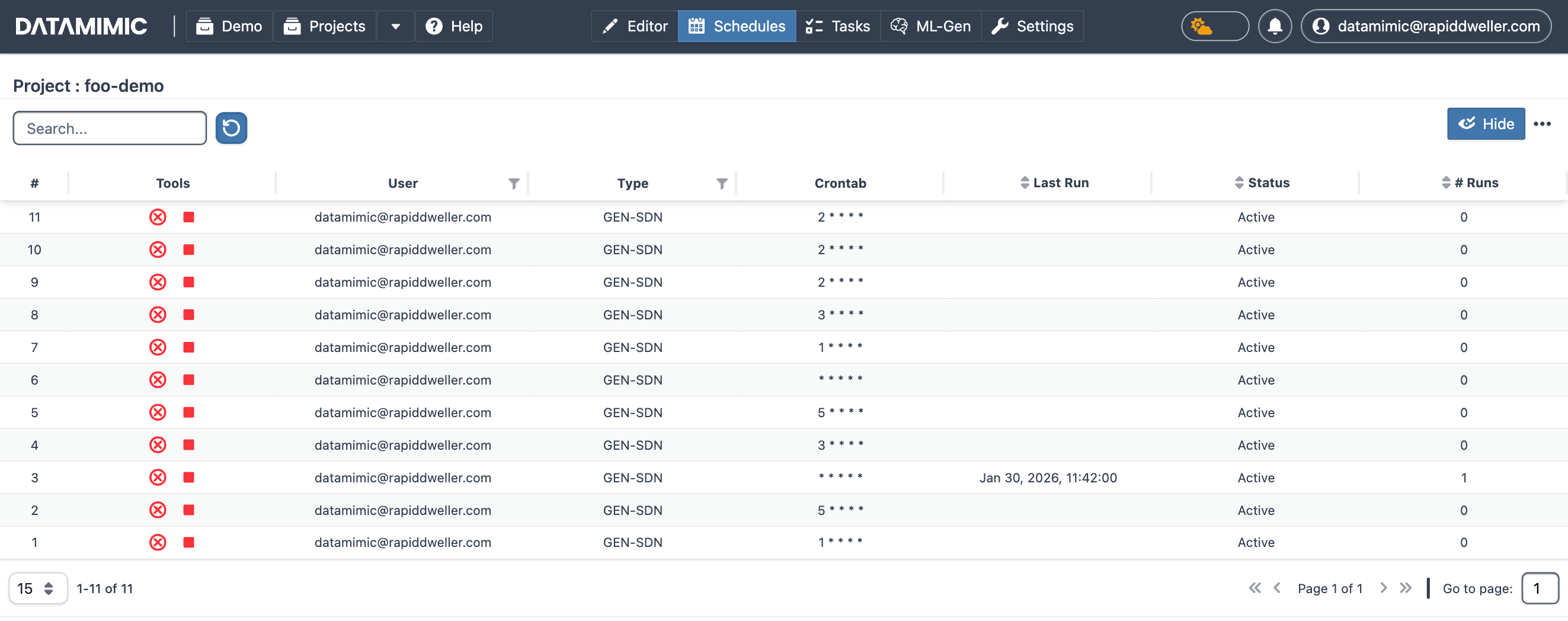
Schedule Details
Each row in the Schedules table represents a scheduled entry, displaying the following details:
- #: Schedule number.
- Tools: Row actions — see Schedule Actions below.
- User: The user who created the schedule.
- Type: The type of task the schedule runs.
- Crontab: The CRON expression defining the schedule.
- Last Run: The last execution time of the schedule.
- Status: The current status of the schedule (Active/Inactive).
- # Runs: The number of times the schedule has run.
Schedule Actions
For each schedule, you can perform the following actions:
- Pause: Temporarily suspend the schedule.
- Delete: Remove the schedule permanently.
Creating Schedules with CRON
To create a recurring schedule, use the Advanced Generation Settings described in the Generation - Advanced Settings documentation. The Schedule (cron, optional) field there lets you specify the cadence for the schedule.