ML Generator View
Overview
ML Generator View is the project-level workspace for inspecting persisted ML generator results from executed training runs, comparing versions, and promoting a validated default version for downstream generation flows.
Open it from the top navigation via ML-Gen.
Only models with completed/persisted training appear with versions and statistics in this view.
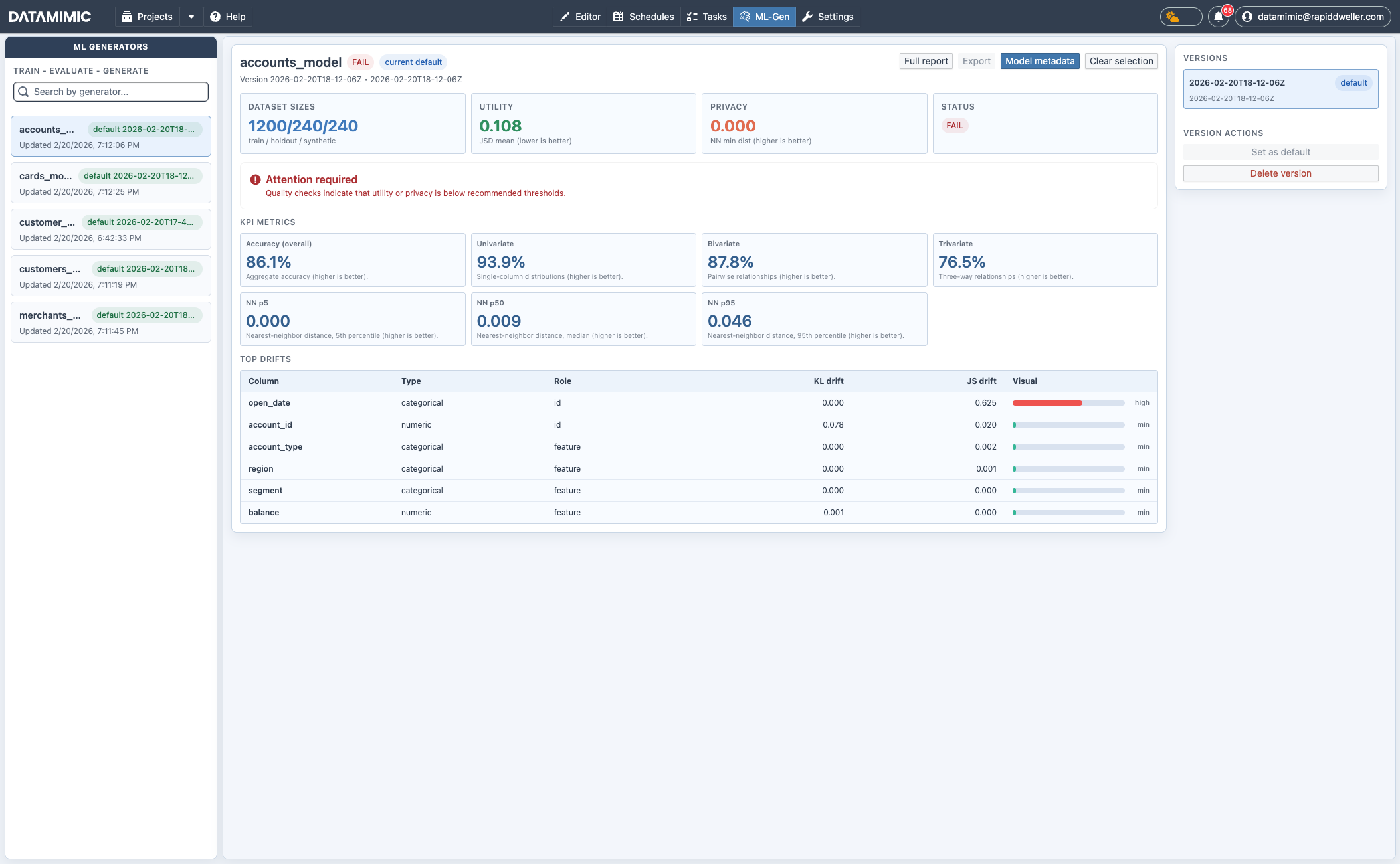
Main Areas
Sidebar: Generator List
- Search generators by name.
- Select a generator to load its details.
- See current default version and update timestamp.
Detail Pane
- Header row: choose a specific version, set selected version as default, delete selected version.
- Headline cards:
- dataset sizes (train/holdout/synthetic),
- utility score,
- privacy score.
- A conditional "Attention required" status callout, shown when quality checks warn or fail, or when there are additional notes even on a pass.
- KPI metrics (accuracy, univariate/bivariate/trivariate signals, NN distances).
- Top drift table with column-wise KL/JS drift indicators.
Top Actions
- Download report: download the HTML QA report for the selected version.
Relationship to Database View and DSL
Typical flow:
- Create ML training model artifacts from Database View → Configure model.
- Execute the generated DSL model so
<ml-train>runs and persists model versions. - Validate outcome in ML Generator View.
- Reuse the approved model version by following the EE-owned
ml-trainreference.
Note
Training can be long-running. Runtime sizing should match workload (rows/features), and some setups may require higher-end resources, including GPU-enabled workers.
For full flow guidance, see ML Generator from Database Metadata.